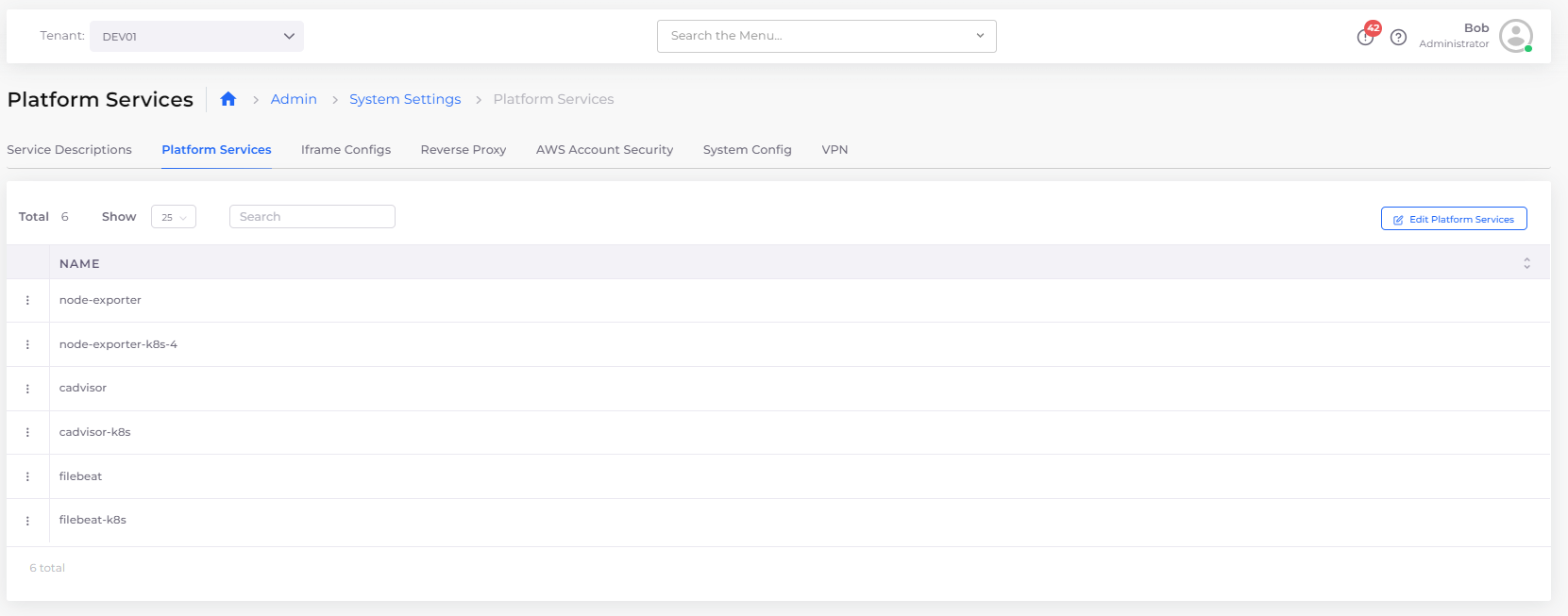
Platform Services window with Edit Platform Services button
.png?alt=media&token=52ca190d-8e50-412b-8dbe-fcb672e24d78) ) -> **Index management** -> **State management policies**.
4. Edit the **FileBeat** YAML file and update the retention period.
For more information see the [OpenSearch documentation](https://opensearch.org/docs/latest/).
{% hint style="info" %}
The new retention period settings will only apply to logs generated after the retention period was updated. Older logs will still be deleted according to the previous retention period settings.
{% endhint %}
## **Customizing Elastic Filebeat logging**
You can modify [Elastic Filebeat](https://www.elastic.co/guide/en/beats/filebeat/current/filebeat-overview.html) logging configurations, including mounting folders other than `/var/lib/docker` for writing logs to folders other than `stdout`.
{% hint style="info" %}
You need to customize the log collection before [enabling logging](/docs/automation-platform/overview/use-cases/central-logging/central-logging-setup.md) for a Tenant.
If logging is enabled, you can update the Filebeat configuration for each tenant by editing the Filebeat Service Description (see the procedure in [Defining Control Plane Configuration](#updating-the-control-plane-by-editing-the-service-description)).
Alternately, delete the Filebeat collector from the Tenant and the platform automatically redeploys based on the newest configuration.
{% endhint %}
1. In the DuploCloud Portal, navigate to **Administrator** -> **System Settings**.
2. Select the **Platform Services** tab.
3. Click the **Edit Platform Services** button. The **Platform Services** window displays. Select the appropriate Filebeat service. For native container management, select **filebeat**; for Kubernetes container management, select **filebeat-k8s**.
4. Edit the YAML in the **Platform Services** window as needed.
5. Click **Update** to close the window and save your changes.
) -> **Index management** -> **State management policies**.
4. Edit the **FileBeat** YAML file and update the retention period.
For more information see the [OpenSearch documentation](https://opensearch.org/docs/latest/).
{% hint style="info" %}
The new retention period settings will only apply to logs generated after the retention period was updated. Older logs will still be deleted according to the previous retention period settings.
{% endhint %}
## **Customizing Elastic Filebeat logging**
You can modify [Elastic Filebeat](https://www.elastic.co/guide/en/beats/filebeat/current/filebeat-overview.html) logging configurations, including mounting folders other than `/var/lib/docker` for writing logs to folders other than `stdout`.
{% hint style="info" %}
You need to customize the log collection before [enabling logging](/docs/automation-platform/overview/use-cases/central-logging/central-logging-setup.md) for a Tenant.
If logging is enabled, you can update the Filebeat configuration for each tenant by editing the Filebeat Service Description (see the procedure in [Defining Control Plane Configuration](#updating-the-control-plane-by-editing-the-service-description)).
Alternately, delete the Filebeat collector from the Tenant and the platform automatically redeploys based on the newest configuration.
{% endhint %}
1. In the DuploCloud Portal, navigate to **Administrator** -> **System Settings**.
2. Select the **Platform Services** tab.
3. Click the **Edit Platform Services** button. The **Platform Services** window displays. Select the appropriate Filebeat service. For native container management, select **filebeat**; for Kubernetes container management, select **filebeat-k8s**.
4. Edit the YAML in the **Platform Services** window as needed.
5. Click **Update** to close the window and save your changes.
Platform Services window with Edit Platform Services button