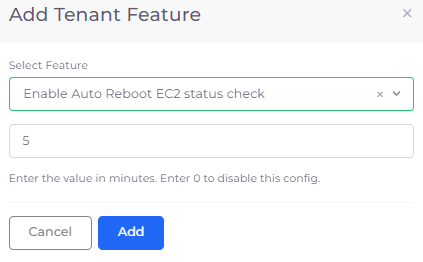
Add Tenant Feature pane with Enable Auto Reboot EC2 status check feature for a 5-minute interval.
Add Tenant Feature pane with Enable Auto Reboot EC2 status check feature for a 5-minute interval.
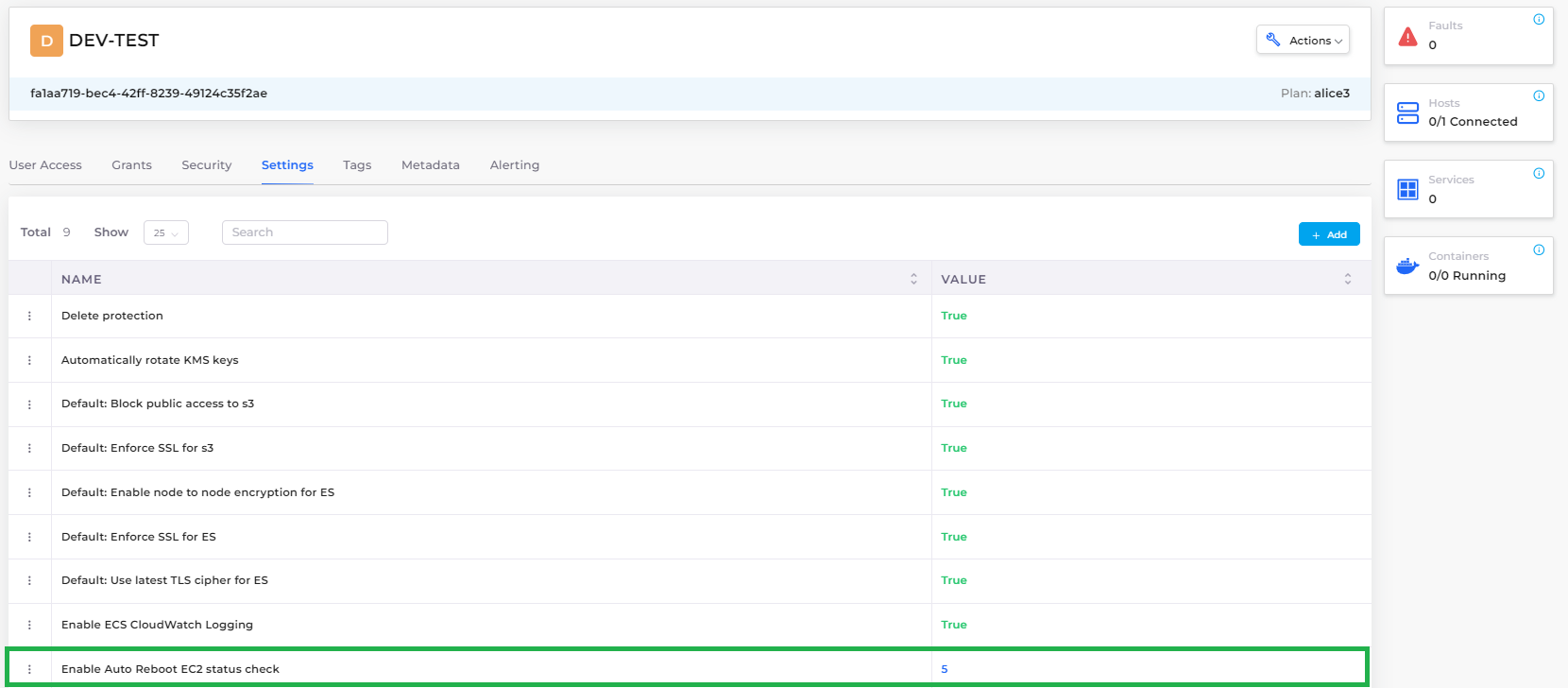
Tenant Settings tab displaying Enable Auto Reboot EC2 status check configuration Value of 5 minutes
 ) icon and select **Edit Setting** or **Remove Setting**.
### Configuring Auto Reboot for Kubernetes (K8s) Node disconnection per Tenant
Configure the Auto Reboot feature at the Tenant for EKS node-based Hosts, to reboot when a `Host Disconnected` fault is identified.
1. In the DuploCloud Portal, navigate to **Administrator** -> **Tenant**. The **Tenant** page displays.
2. Select a Tenant with access to the Host for which you want to configure Auto Reboot.
3. Click the **Settings** tab.
4. Click **Add**. The **Add Tenant Feature** pane displays.
) icon and select **Edit Setting** or **Remove Setting**.
### Configuring Auto Reboot for Kubernetes (K8s) Node disconnection per Tenant
Configure the Auto Reboot feature at the Tenant for EKS node-based Hosts, to reboot when a `Host Disconnected` fault is identified.
1. In the DuploCloud Portal, navigate to **Administrator** -> **Tenant**. The **Tenant** page displays.
2. Select a Tenant with access to the Host for which you want to configure Auto Reboot.
3. Click the **Settings** tab.
4. Click **Add**. The **Add Tenant Feature** pane displays.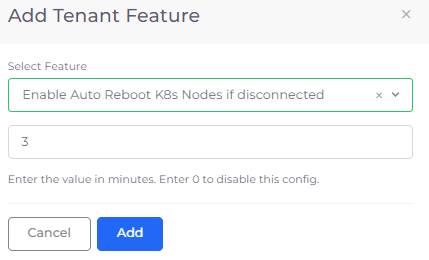
Add Tenant Feature pane with Enable Auto Reboot K8s Nodes if disconnected feature for a 3-minute interval

Tenant Settings tab displaying Enable Auto Reboot K8s Nodes if disconnected configuration Value of 3 minutes
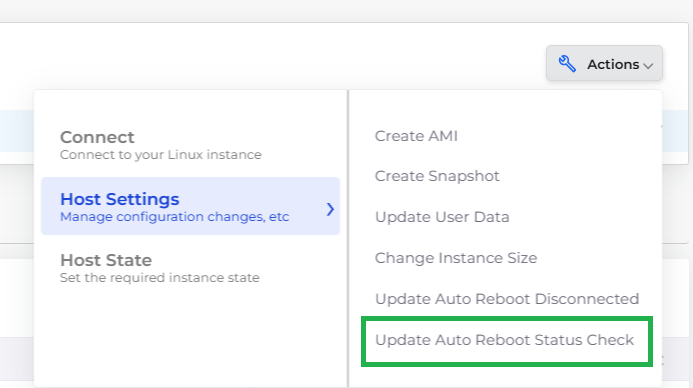
Host Actions menu options Host Settings -> Update Auto Reboot Status Check

Set Auto Reboot Status Check Time pane with Auto Reboot Status Check field
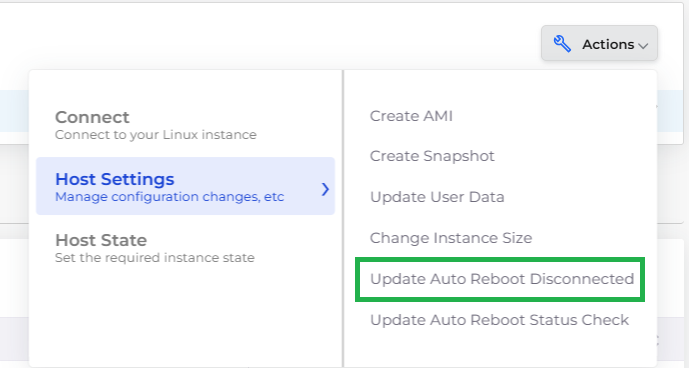
Host Actions menu options Host Settings -> Update Auto Reboot Disconnected

Set Auto Reboot Status Check Time pane with Auto Reboot Time field