> For the complete documentation index, see [llms.txt](https://docs.duplocloud.com/docs/llms.txt). Markdown versions of documentation pages are available by appending `.md` to page URLs; this page is available as [Markdown](https://docs.duplocloud.com/docs/automation-platform/workshops/duplocloud-101-for-aws/daily-operations-using-duplocloud/1.-ai-devops-platform.md).
# 1. AI DevOps Platform
Submit AI HelpDesk tickets in the DuploCloud Portal
You can use DuploCloud's DevOps Agent to troubleshoot issues with your infrastructure, get guidance on common operational tasks, and receive suggested commands for Services, Containers, and cloud resources — all from within the DuploCloud Portal.
## Using the AI HelpDesk
Quickly interact with the DevOps Agent to get guidance, suggestions, or commands for common operational tasks.
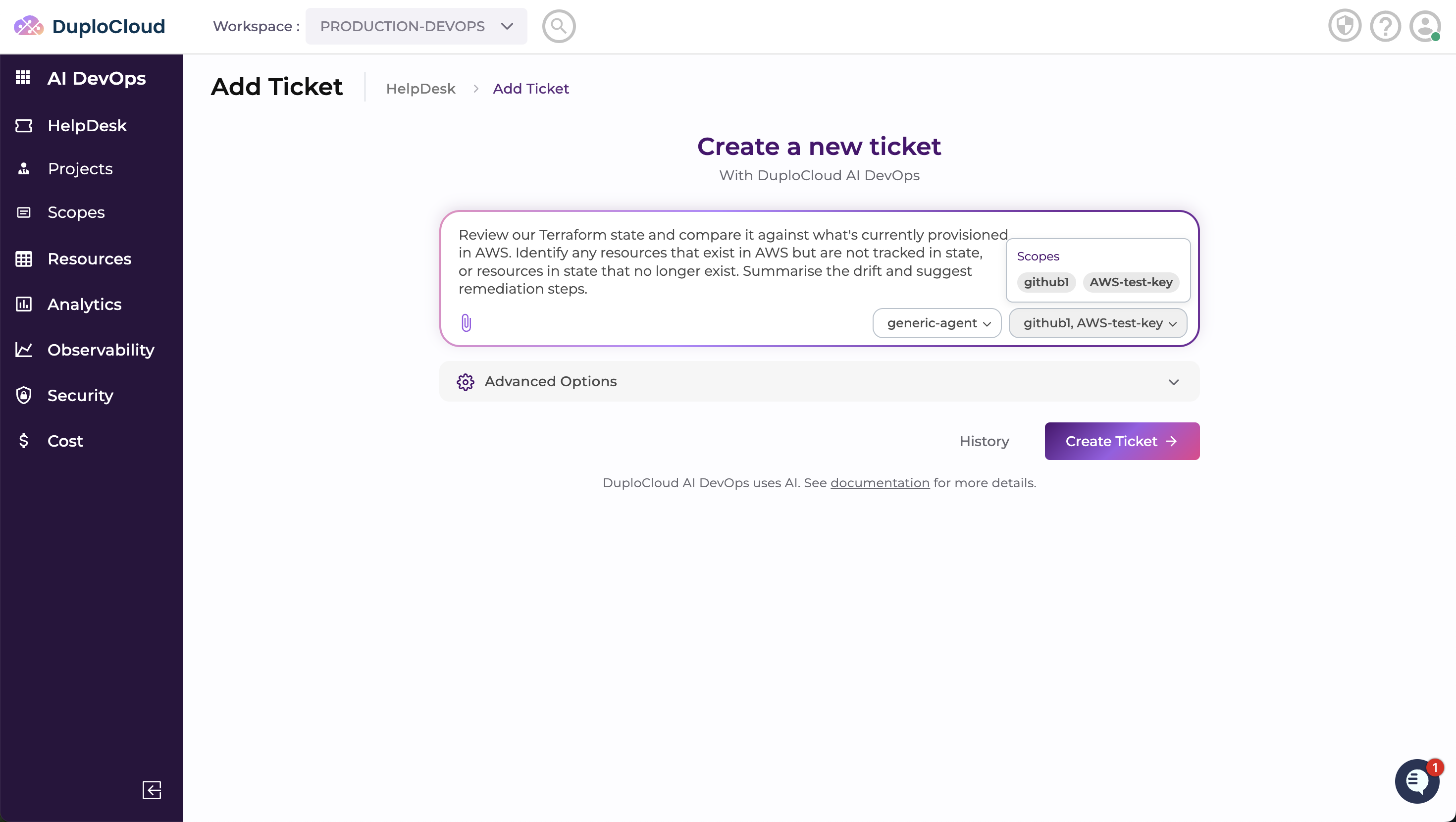
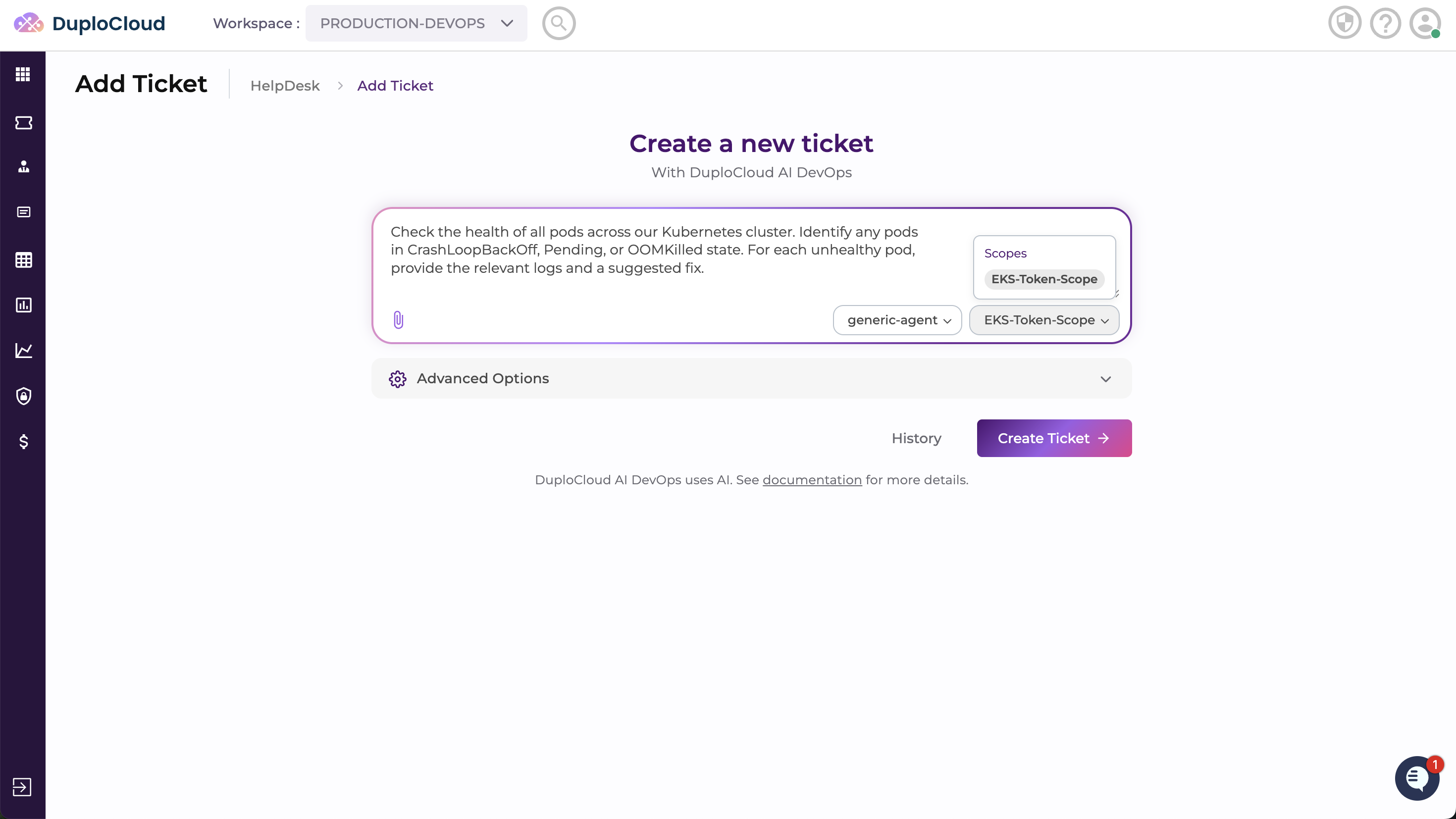
Navigate to **AI DevOps** → **HelpDesk** in the DuploCloud Portal and click **Add Ticket**. Select the **Scope** that gives the agent access to the infrastructure relevant to your task, and choose the **Skills** that define how the agent behaves — for example, Terraform skills contain instructions for IaC workflows, Kubernetes skills cover cluster operations, and FinOps skills focus on spend analysis. Then enter your request in the message field and click **Submit**.
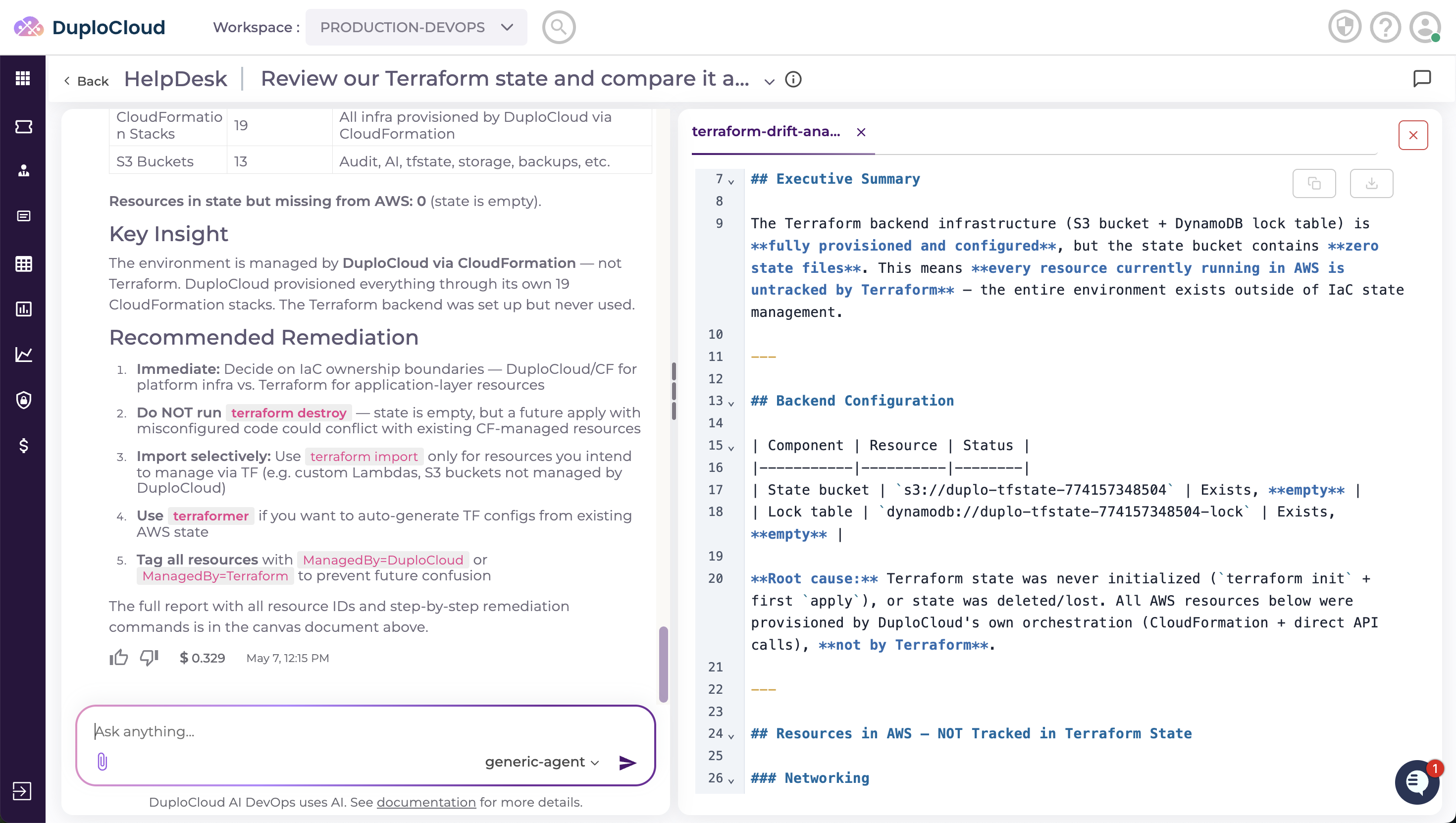
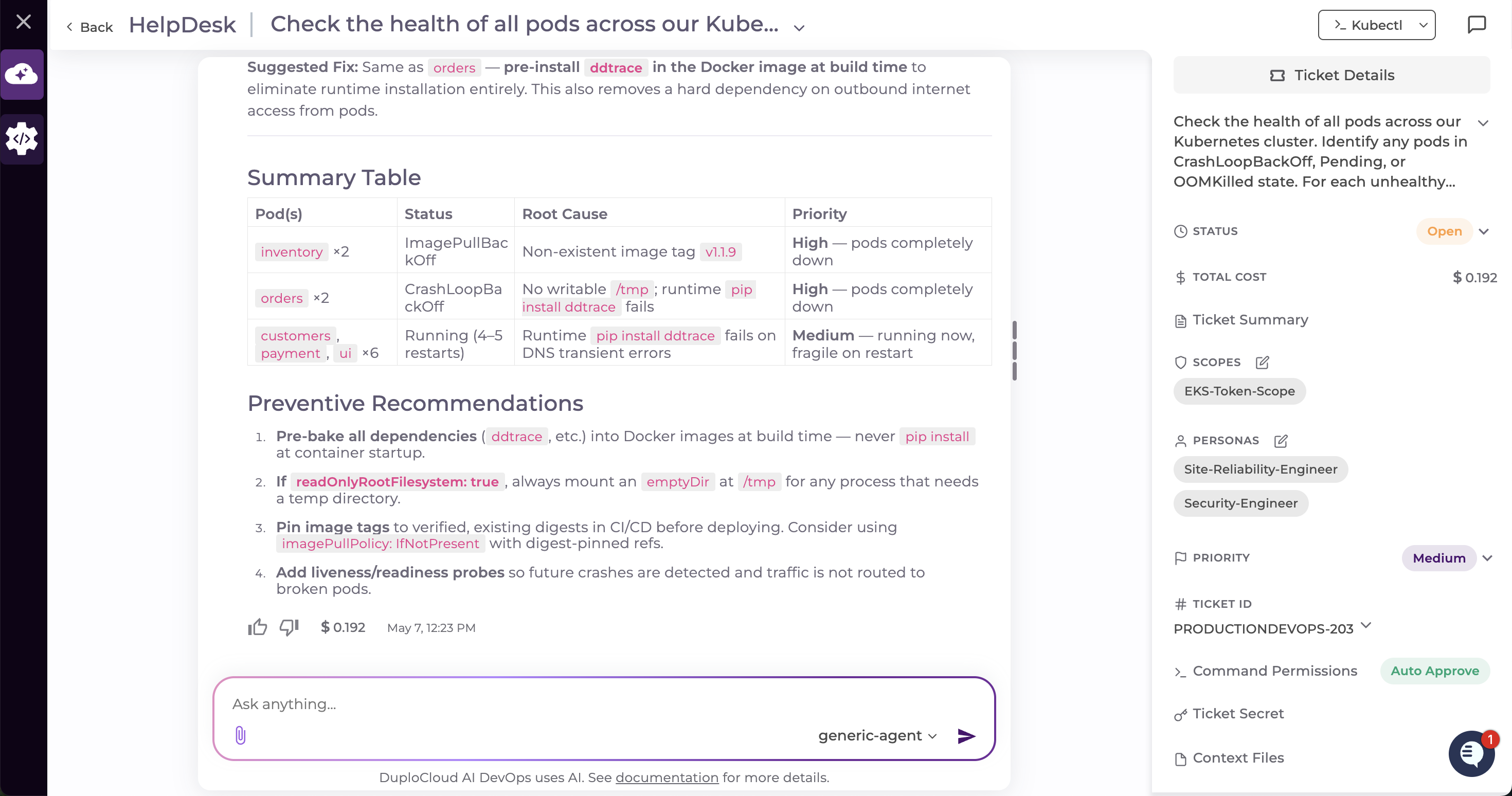
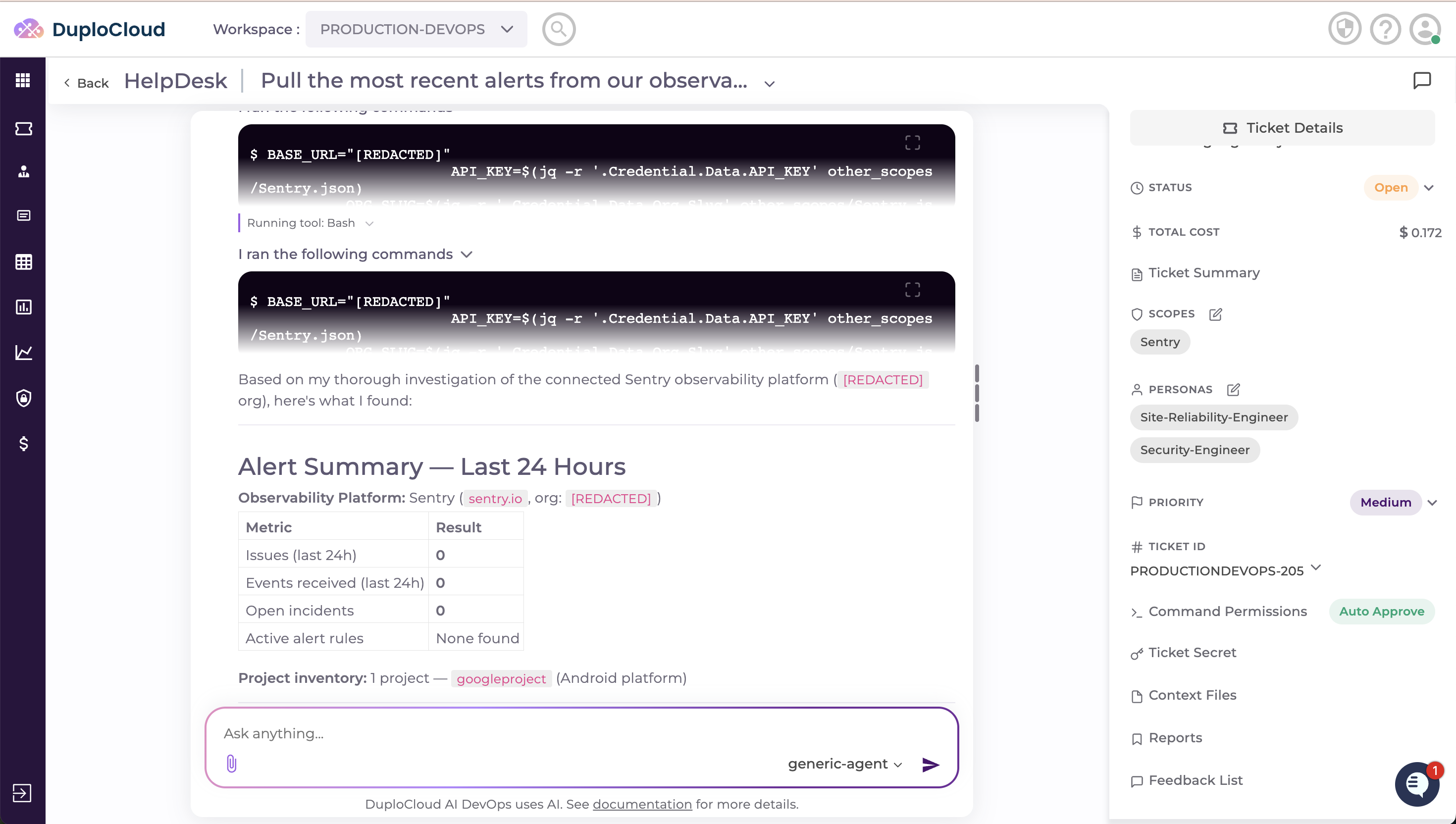
The agent streams its response in real time. As it works, it may propose commands for you to **Approve**, **Reject**, **Ignore**, or **Execute** — no action is applied to your infrastructure without your sign-off.
## Daily Use Cases
The following are common operational tasks to try in the HelpDesk. For each, select a scope that covers the relevant environment and include the skills that match the task domain.
### Drift in IaC
* **Scope:** A scope with access to your Git repository and AWS account
* **Skills:** Terraform or IaC *(guides the agent through infrastructure state management, drift detection, and remediation workflows)*
* **Message to Agent:**
```
Review our Terraform state and compare it against what's currently provisioned
in AWS. Identify any resources that exist in AWS but are not tracked in state,
or resources in state that no longer exist. Summarise the drift and suggest
remediation steps.
```
### Kubernetes Pod Health
* **Scope:** A scope with access to your Kubernetes cluster
* **Skills:** Site Reliability or Kubernetes *(equips the agent with cluster operations, uptime analysis, and pod-level diagnostics)*
* **Message to Agent:**
```
Check the health of all pods across our Kubernetes cluster. Identify any pods
in CrashLoopBackOff, Pending, or OOMKilled state. For each unhealthy pod,
provide the relevant logs and a suggested fix.
```
### Recent Alerts on Observability Tools
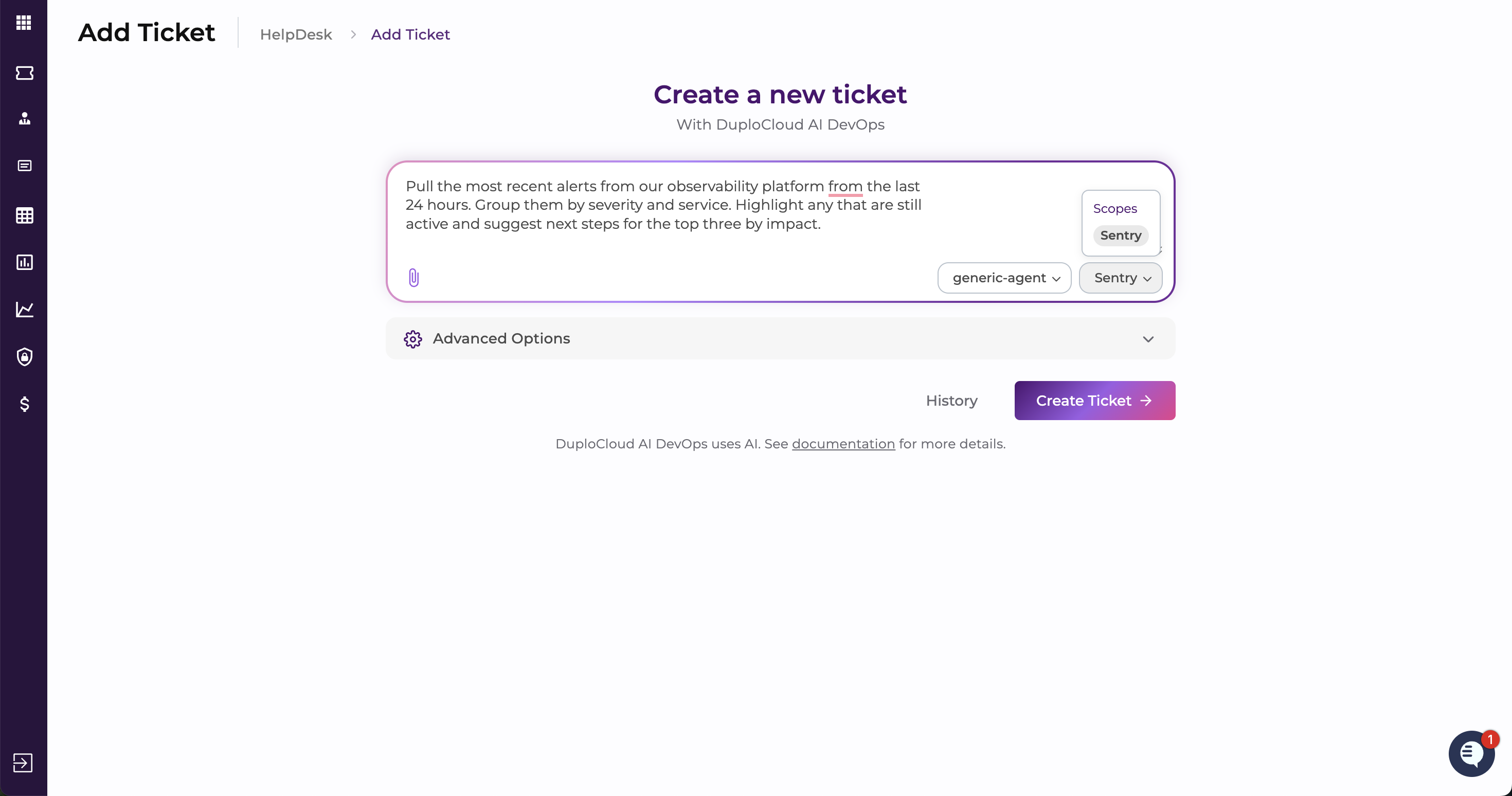
* **Scope:** A scope that includes your observability provider or a configured MCP server for that tool
* **Skills:** Site Reliability *(focuses the agent on alert triage, severity analysis, and observability platform queries)*
* **Message to Agent:**
```
Pull the most recent alerts from our observability platform from the last
24 hours. Group them by severity and service. Highlight any that are still
active and suggest next steps for the top three by impact.
```
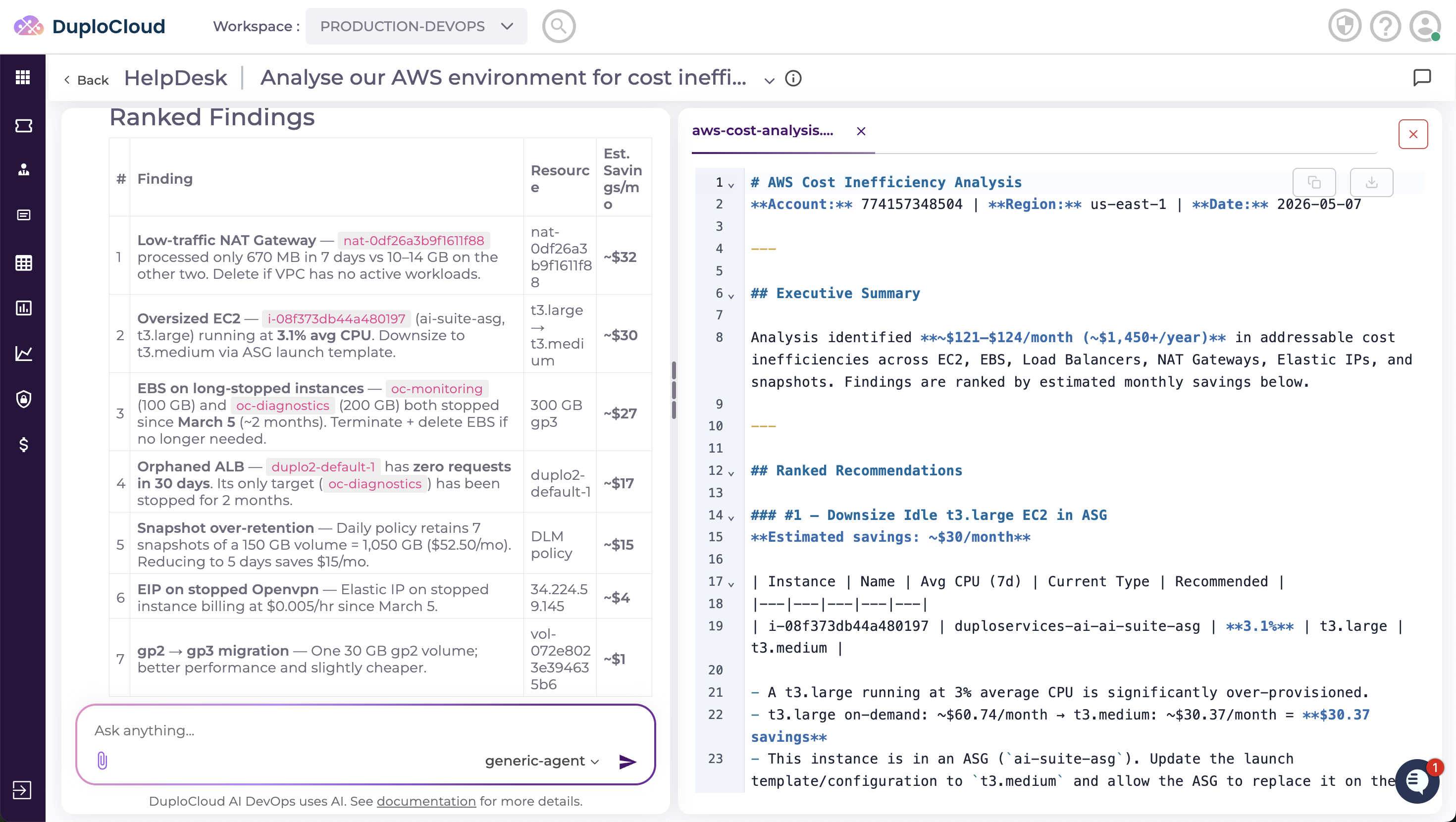
### AWS Cost and Optimisation Suggestions
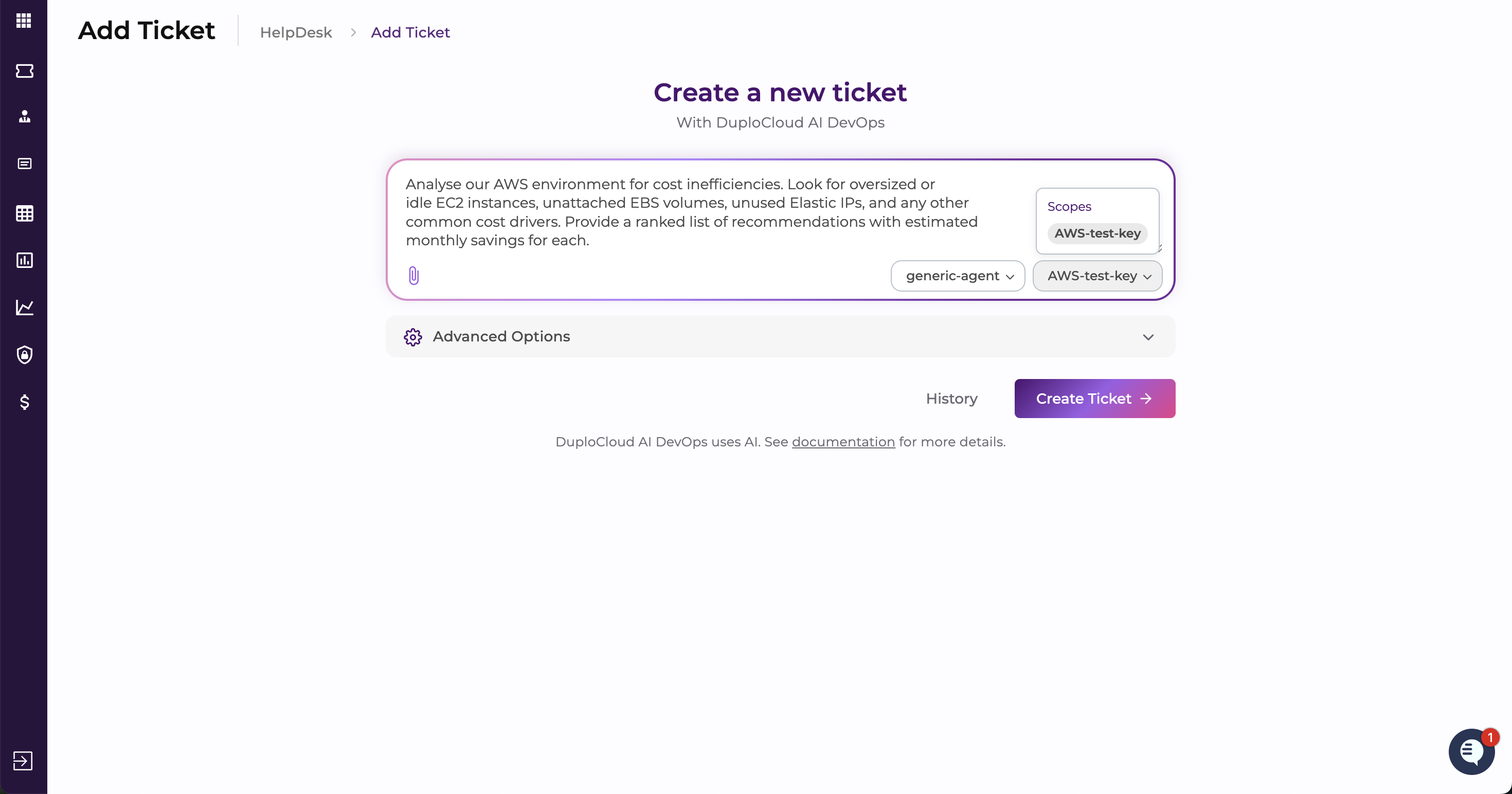
* **Scope:** A scope with read access to your AWS account
* **Skills:** FinOps or cost optimisation *(directs the agent toward cloud spend analysis, resource rightsizing, and savings recommendations)*
* **Message to Agent:**
```
Analyse our AWS environment for cost inefficiencies. Look for oversized or
idle EC2 instances, unattached EBS volumes, unused Elastic IPs, and any other
common cost drivers. Provide a ranked list of recommendations with estimated
monthly savings for each.
```
---
# Agent Instructions
This documentation is published with GitBook. GitBook is the documentation platform designed so that both humans and AI agents can read, navigate, and reason over technical content effectively. Learn more at gitbook.com.
## Querying This Documentation
If you need additional information that is not directly available in this page, you can query the documentation by asking a question.
Perform an HTTP GET request on the following URL with the `ask` and `goal` query parameters:
```
GET https://docs.duplocloud.com/docs/automation-platform/workshops/duplocloud-101-for-aws/daily-operations-using-duplocloud/1.-ai-devops-platform.md?ask=&goal=
```
`ask` is the immediate question: it should be specific, self-contained, and written in natural language.
`goal` is what the user is ultimately trying to achieve, the reason they need the answer. Sharing it helps GitBook give you a better, more relevant answer. A goal is most helpful when it describes the outcome the user wants rather than restating the question. For example, with `ask=how do I create an API token`, a goal like `automate deployments from our CI pipeline` lets GitBook tailor the answer to that use case.
The response will contain a direct answer to the question and relevant excerpts and sources from the documentation.
Use this mechanism when the answer is not explicitly present in the current page, you need clarification or additional context, or you want to retrieve related documentation sections.