Enable and view alert notifications in the DuploCloud Portal
DuploCloud supports viewing of Faults in the portal and sending notifications and emails to the following systems:
Sentry
PagerDuty
NewRelic
OpsGenie
You will need to generate an keys from each of these vendor systems, and then provide that key to DuploCloud to enable integration.
In the website, navigate to Projects -> Create a New Project.
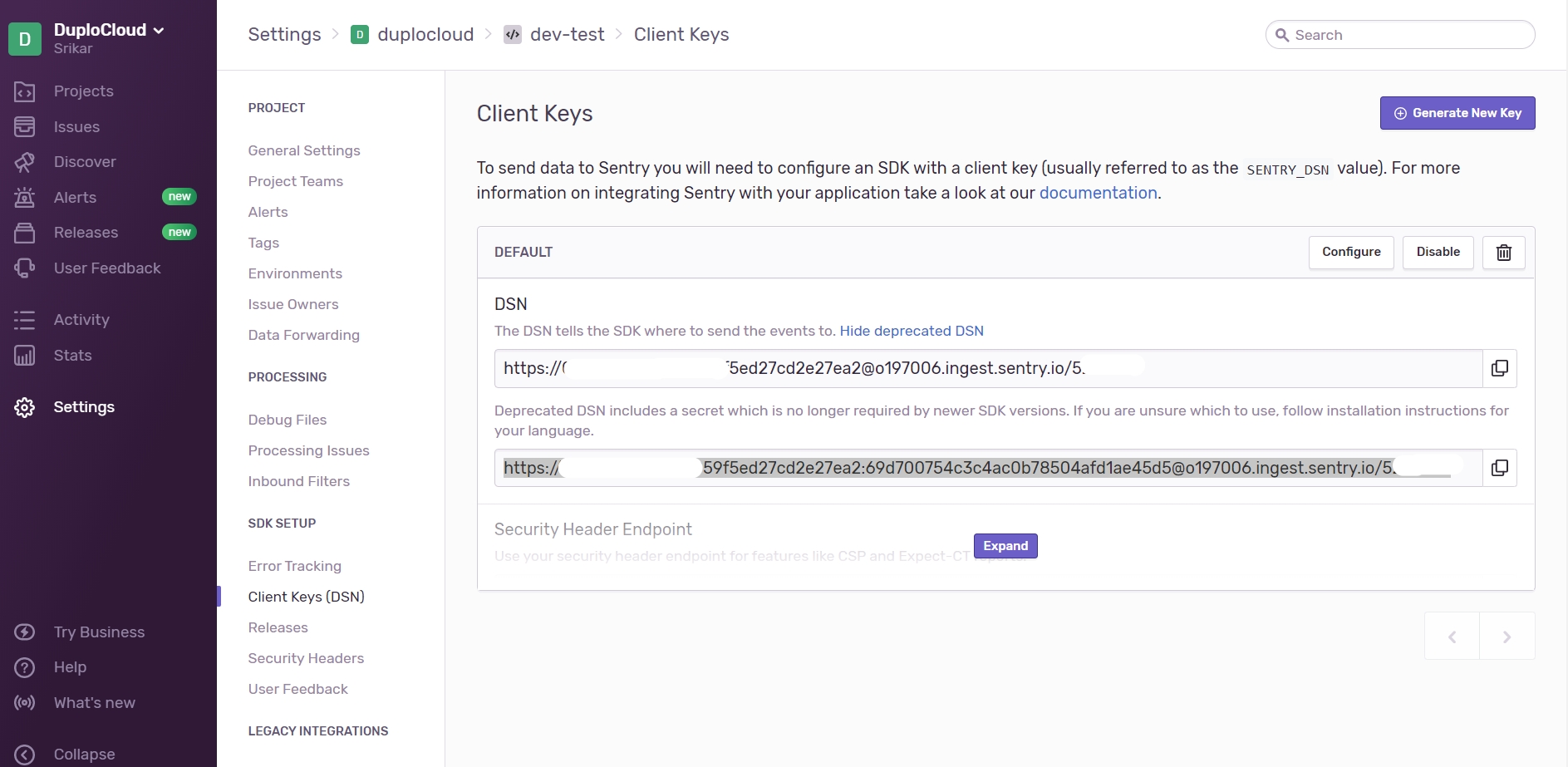
Click Settings -> Projects -> project-name -> Client keys. The Client Keys page displays.
Complete the DSN fields on the screen.
In the website home page, select the Services tab and navigate to the service that receives Events. If a Service does not exist, click New Service. When prompted, enter a friendly Name (for example, your DuploCloud Tenant name) and click Next.
Assign an Escalation policy, or use an existing policy.
Click Integration.
In the website, use the to generate an to send events to NewRelic Insights.
In the DuploCloud Portal, navigate to Observability -> Faults.
Click Update Notifications Config. The Set Alert Notifications Config pane displays.
In the website, .
In the DuploCloud Portal, navigate to Observability -> Faults.
Click Update Notifications Config. The Set Alert Notifications Config pane displays.
Click Generate New Key.
In the DuploCloud Portal, navigate to Observability -> Faults.
Click Update Notifications Config. The Set Alert Notifications Config pane displays.
In the Sentry - DSN field, enter the key you received from Sentry.
In the Alerts Frequency (Seconds) field, enter a time interval in seconds when you want alerts to be displayed.
Click Update.
Click Events API V2. Your generated Integration Key is displayed as the second item on the right side of the page. This is the Routing Key you will supply to DuploCloud.
Copy the Integration Key to your Clipboard.
In the DuploCloud Portal, navigate to Observability -> Faults.
Click Update Notifications Config. The Set Alert Notifications Config pane displays.
In the Pager Duty - Routing Key field, enter the key you generated from PagerDuty.
In the Alerts Frequency (Seconds) field, enter a time interval in seconds when you want alerts to be displayed.
Click Update.
In the NewRelic - API Key field, enter the key you generated from NewRelic.
In the Alerts Frequency (Seconds) field, enter a time interval in seconds when you want alerts to be displayed.
Click Update.
In the Alerts Frequency (Seconds) field, enter a time interval in seconds when you want alerts to be displayed.
Click Update.